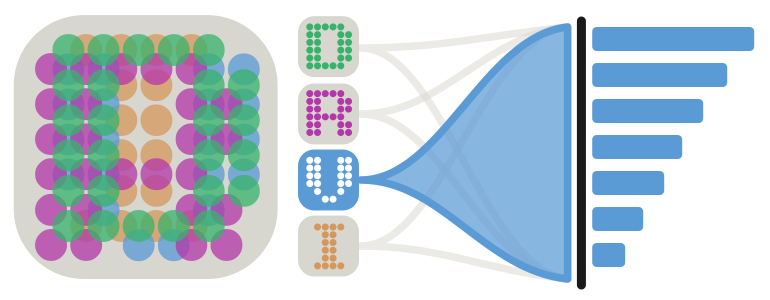





DRVI (Unsupervised Deep Disentangled Representation of Single-Cell Omics)#

Getting started#
Please refer to the documentation. In particular, the
Tutorials, specially
Identification and annotation of factors:
API documentation, specially
DRVI is now part of scvi-tools#
The PyTorch model of DRVI has been contributed to scvi-tools and will be maintained from there. Everything else in this package, including the utility and plotting functions, metrics, and interpretability tools, continues to be maintained here and works on top of the scvi-tools model.
We recommend new projects import the model directly from scvi-tools as
scvi.external.DRVI, and keep importing the utilities and extras from this
package (drvi.utils, etc.). For backward compatibility, drvi.model.DRVI
remains importable as of version 0.3.0 and is now an alias for
scvi.external.DRVI, though this alias may itself be deprecated from 0.4.0.
Existing users can keep using drvi-py < 0.3.0, but we recommend upgrading to
access utilities not available in older versions.
If you want to move a model trained with drvi-py < 0.3.0 to the scvi-tools
implementation (scvi-tools >= 1.5.0), the
Porting a DRVI model (drvi-py < 0.3) to scvi.external.DRVI (scvi-tools)
tutorial walks through the conversion, so you can continue your analysis without
retraining. 
System requirements#
We recommend running DRVI on a recent Linux distribution. DRVI is actively tested on the latest LTS version of Ubuntu (currently 24.04 LTS).
For optimal performance, we highly recommend using a GPU with CUDA capabilities. While CPU-based systems are supported, GPU-powered systems are strongly recommended for optimal performance.
Installation#
You need to have Python (versions 3.12 to 3.14 supported) installed on your system. If you don’t have Python installed, we recommend installing uv.
Note for Python 3.10 and 3.11 users: Starting from version 0.3,
drvi-pyrequires Python >=3.12 (a constraint inherited from scvi-tools). If you are on Python 3.10 or 3.11, you can install an earlier release withpip install "drvi-py<0.3"and later translate your trained model to the newer format once you upgrade your Python environment.
There are several alternative options to install drvi:
Install the latest release of
drvi-pyfrom PyPI, which should take around two minutes:
pip install drvi-py
Install the latest development version:
pip install git+https://github.com/theislab/drvi.git@main
Please be sure to install a version of PyTorch that is compatible with your GPU.
Dependencies are installed automatically, please take a look at the versions for different dependencies in pyproject.toml if needed.
Release notes#
See the changelog.
Contact#
For questions and help requests, you can reach out in the scverse discourse. If you found a bug, please use the issue tracker.
Citation#
If DRVI is helpful in your research, please consider citing the following paper:
Moinfar, A. A. & Theis, F. J. Disentangling cellular heterogeneity into interpretable biological factors through structured latent representations. bioRxiv 2024.11.06.622266 (2024) doi:10.1101/2024.11.06.622266.
Reproducibility#
Code, notebooks, and instructions to reproduce the results from the paper are available at the reproducibility repository.